You're set up.
IP Tracker gives you a second opinion on a link, an email address or a website before you trust it. Here's the five-second version.
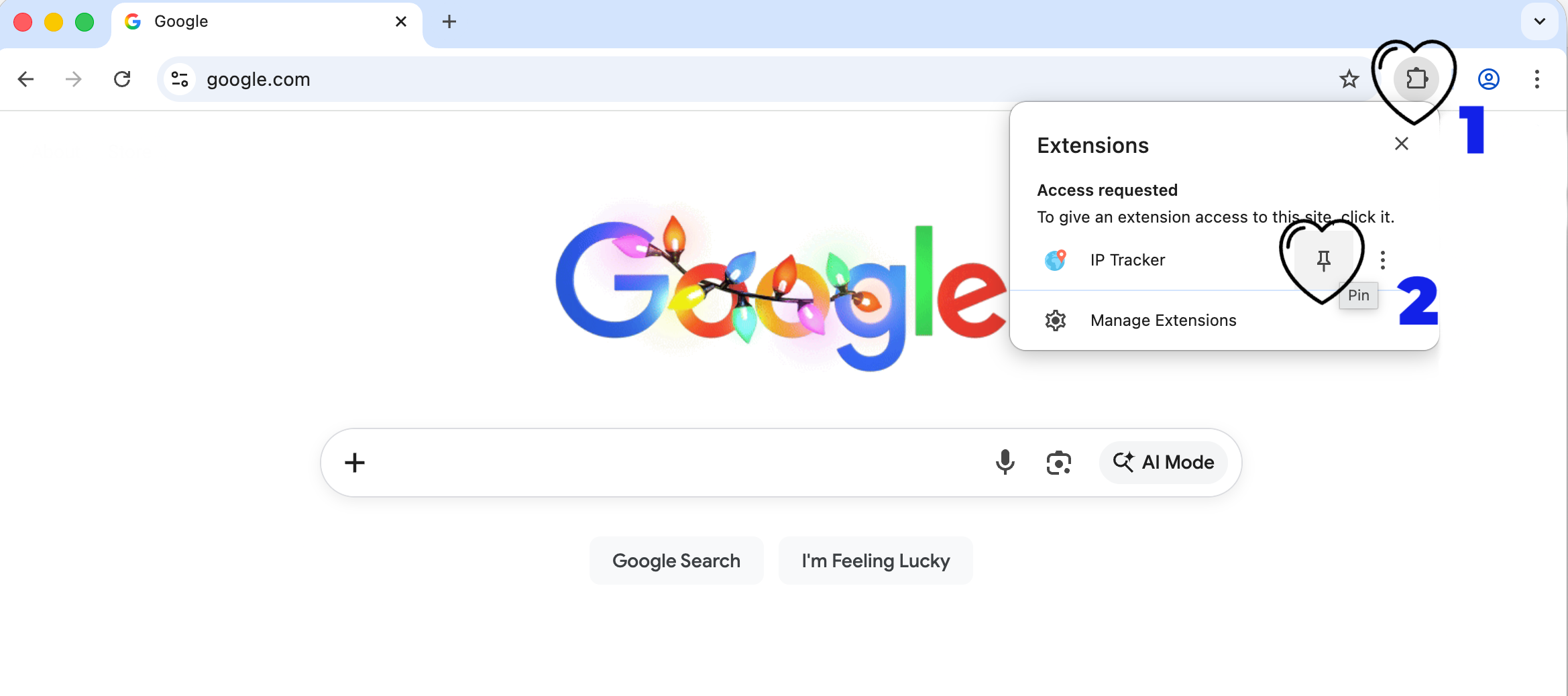
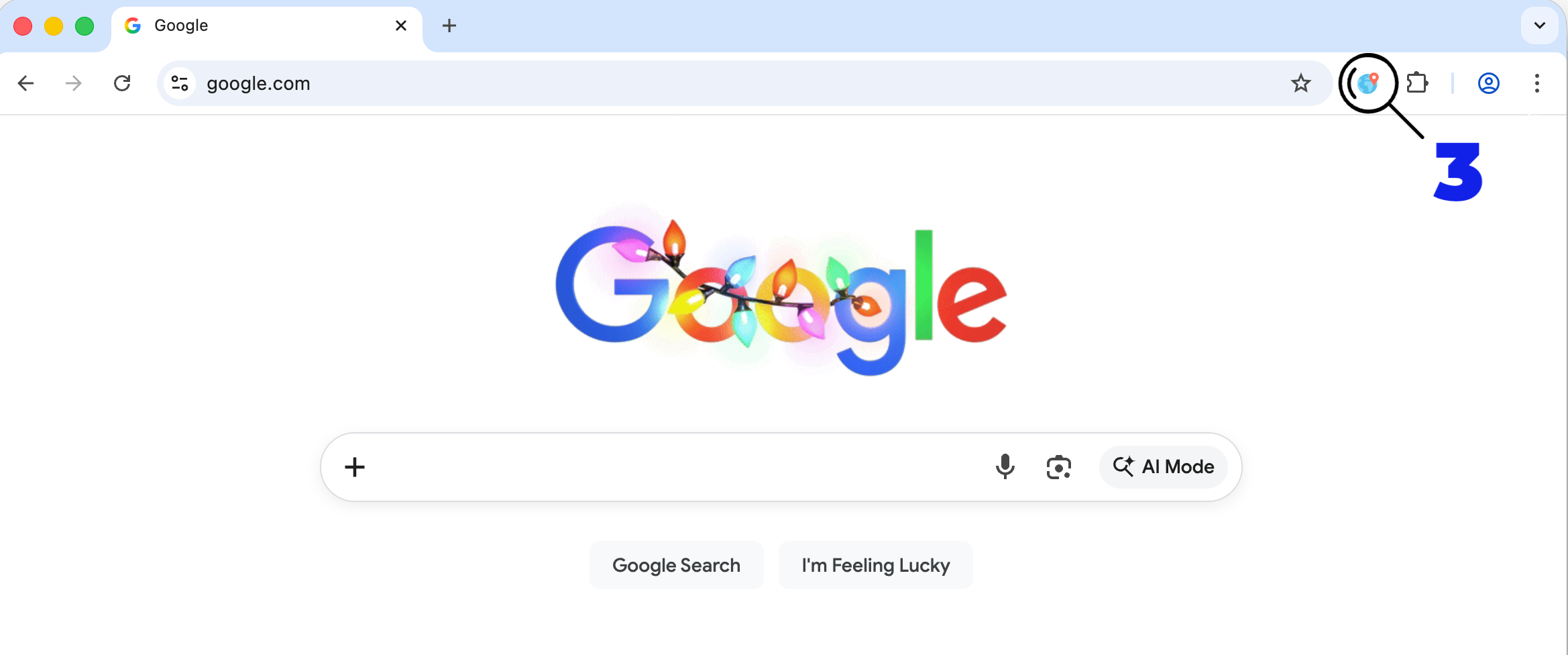
Pin it to your toolbar
Chrome hides new extensions behind the puzzle-piece icon. Two clicks and it lives in your toolbar instead.
These two are different websites
One of them is PayPal. The other is not. In almost every font on the internet they render identically, which is exactly why the trick still works.
Select it, right-click, and choose “Lookup IP/Domain” — or click your new toolbar icon and paste it in.
The second one has a capital I where the lowercase l should be. You can't see it. IP Tracker can — it checks the address against 125 known brands and tells you which one it's imitating.
Not just IP addresses
An email address
Paste the whole sender address. It checks the domain it came from.
A link
The “your parcel is held” one. Checks it against Google Safe Browsing.
A domain or IP
Owner, location, age and abuse reports. 1.1.1.1 works too.